
Advanced Features - Custom Attributes
Many customers need to integrate their membership system with the QIABOT customer service system to retrieve visitor information and display it directly on the conversation page, enabling agents to provide more efficient service.
To achieve this, you can either manually add "Custom Attributes" on the conversation page in the admin panel, or modify the base chat link using the API to automatically retrieve visitor attributes.
- How to Add Custom Attributes in the Admin Panel
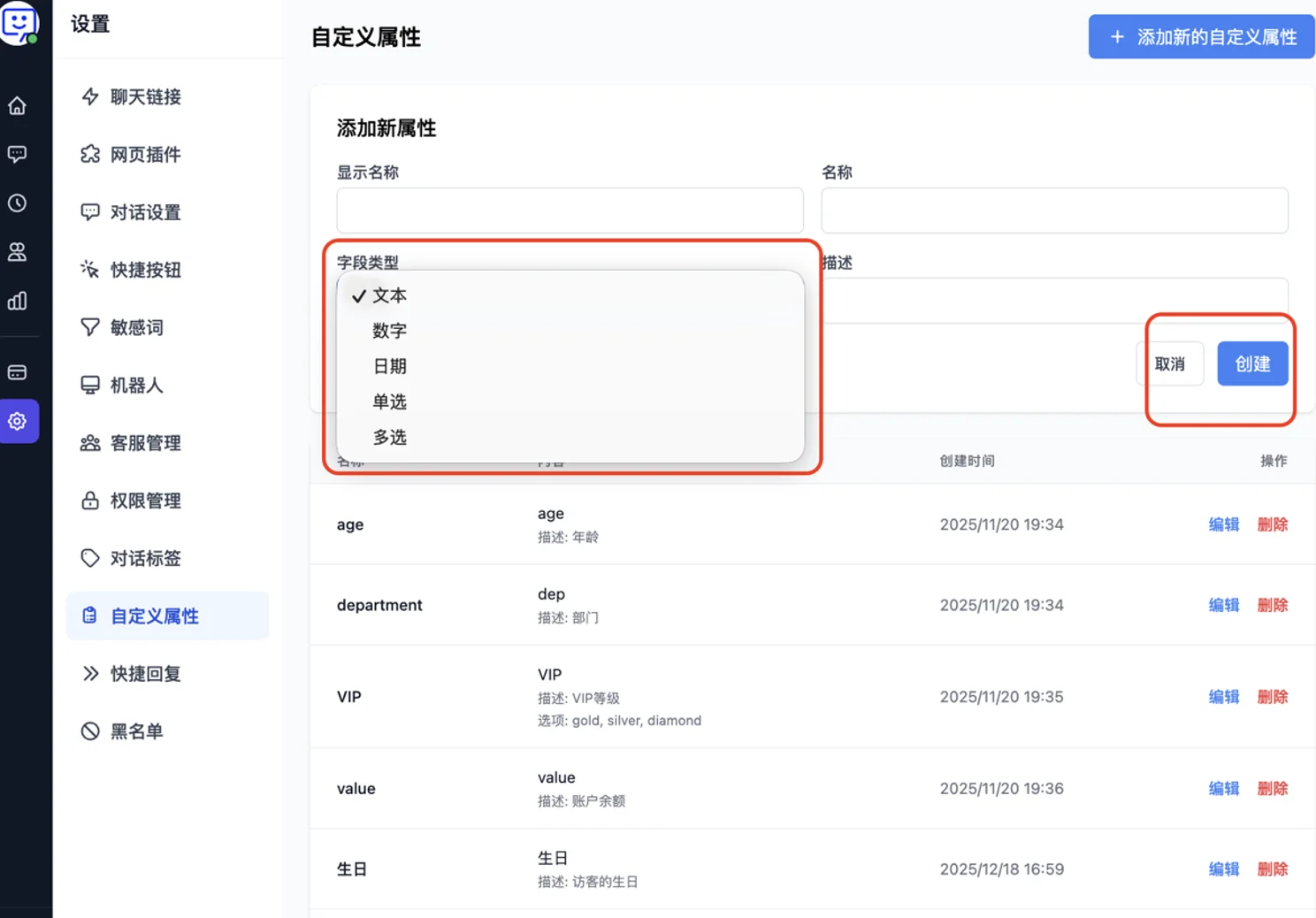
Click "Settings" at the bottom of the left navigation bar, then select "Custom Attributes". You can then start adding new custom attributes.
- In the input fields, enter the attribute name, content, field type (text, number, date, single select, multi-select), and description. Then click "Create".
- How to Manually Add Custom Attributes in the Conversation Panel?
- On the right side of the conversation panel in the admin dashboard, find the "Custom Attributes" section and click "Add" to select an attribute.
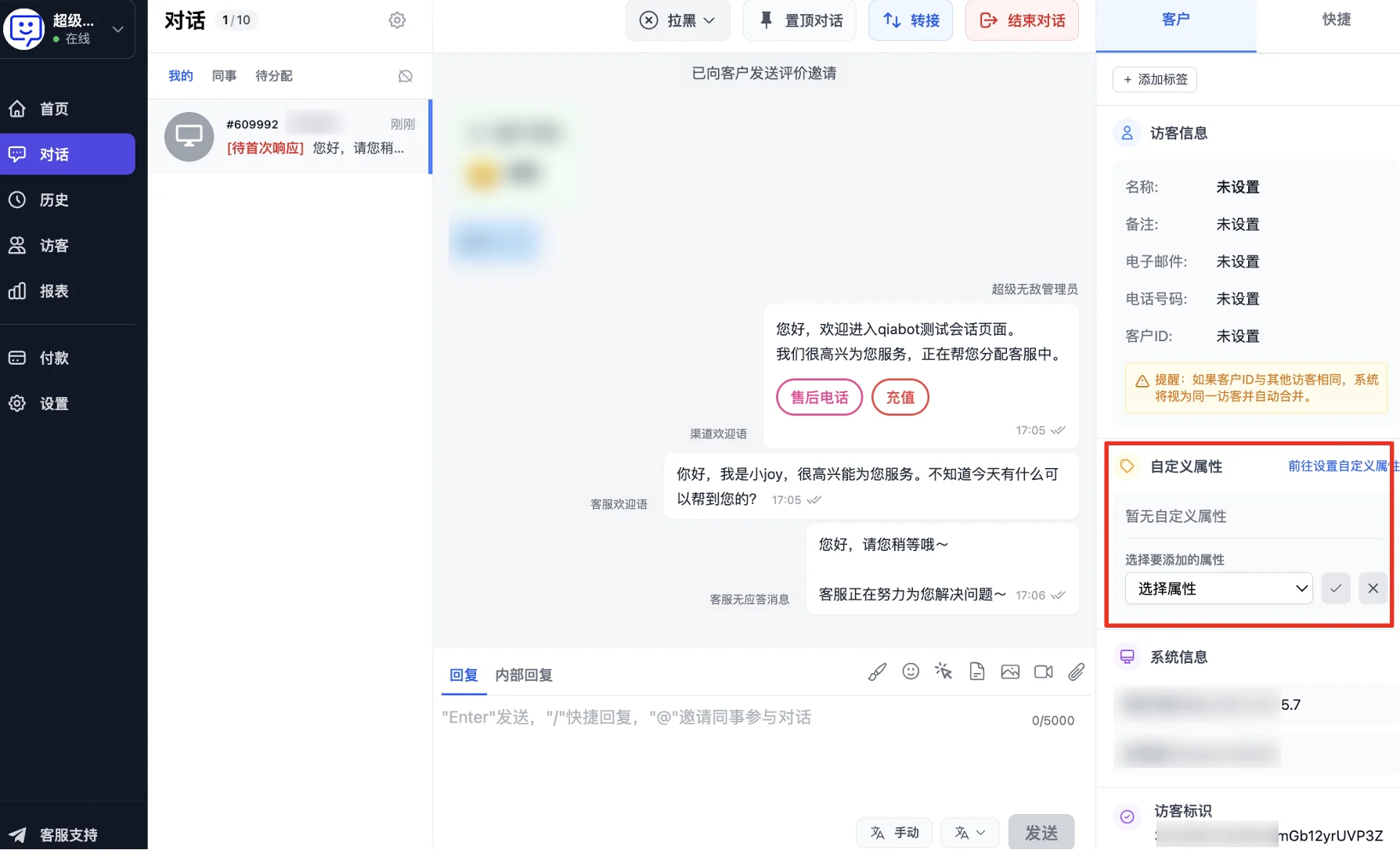
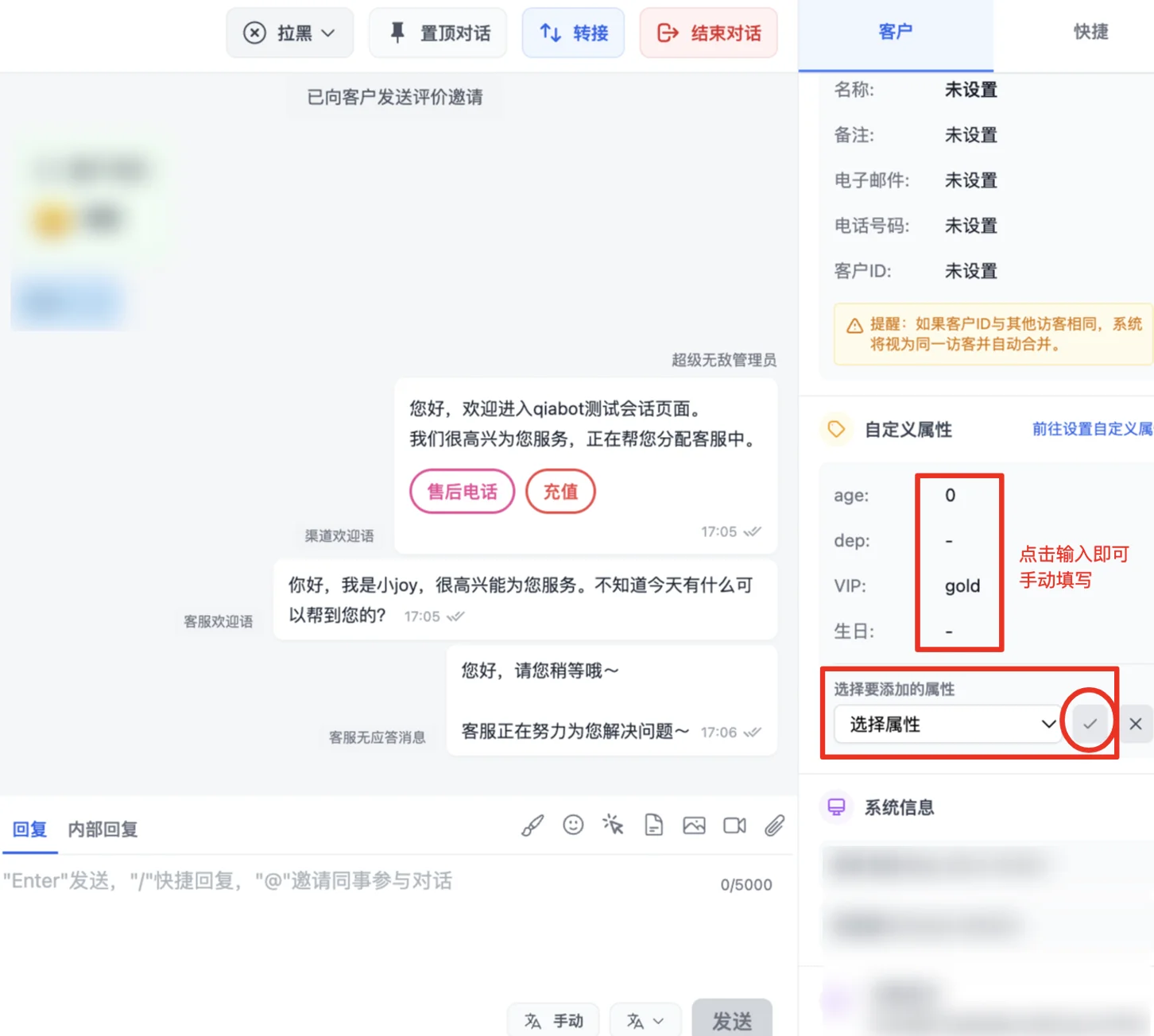
- The dropdown will show the attributes configured in the "Custom Attributes" settings module. Select one based on your needs, enter the value, and save.
- How to Automatically Retrieve Visitor Data via API?
- Modify your base chat link according to the API documentation below, then configure the updated chat link on your business interface.
"Chat Link" Example
Pass custom attribute information to the workbench by adding the custom_attr (or metadata, for backward compatibility) parameter to the link.
Example:
Note: In custom_attr, both key and value must be enclosed in double quotes.
https://dzz.qbchat.cc/?name=老王&custom_attr={"dep":["sales"],"age":19,"vip":"gold"}
Note: If you need to include & or = characters in custom_attr data, you must escape them first:
& %26
= %3D
The correct escaped link is:
https://dzz.qbchat.cc/?custom_attr={"dep":["sales"],"age":19,"vip":"gold","address":"http://xyz.qiabot.com?a%3D1%26b%3D1"}
The incorrect link is:
https://dzz.qbchat.cc/?custom_attr={"dep":["sales"],"age":19,"vip":"gold","address":"http://xyz.qiabot.com?a=1&b=1"}
Congratulations! You've completed the "Custom Attributes" feature module!
By setting up custom attributes, your membership account information is directly linked to the customer service system. Agents can view visitor information directly in the conversation panel, effectively improving agent efficiency and visitor experience.
Next step: Visit other Advanced Features to explore how to further unlock QIABOT's potential and make the most of every feature to enhance your workflow.