
Team Management - Agent Quality Control
A proper customer service operation requires tools to help managers monitor agent performance. QIABOT's "Reports" feature supports viewing various types of data, including conversation data and agent work-related data, helping you quickly and accurately identify anomalies in daily operations.
- Data Overview
Go to the system and click "Reports" in the left navigation bar to see the "Data Overview". You can filter by channel (inbox), agent, and conversation date. At the bottom of the page, you can also "Export to Excel" for further analysis.
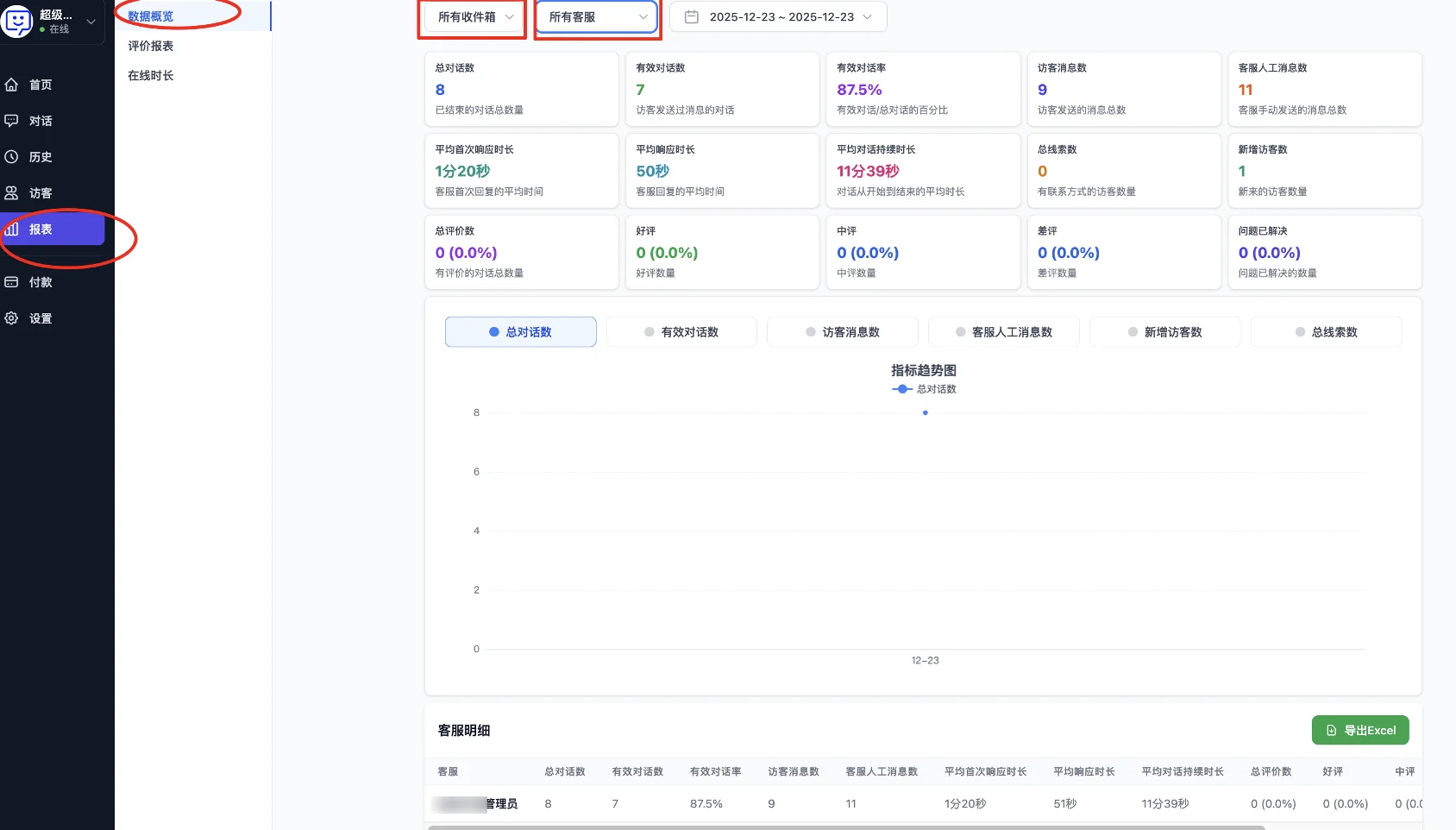
- Managers can prioritize reviewing agents with notably low effective conversation rates to check for issues such as dismissive responses or ending conversations without resolving problems.
- Or agents with notably long average response times or handling times, to determine whether the issue is skill-related or a resource allocation problem.
- Satisfaction Reports
Click "Satisfaction Reports" to see an intuitive chart. You can filter by channel (inbox), agent, and date as needed.
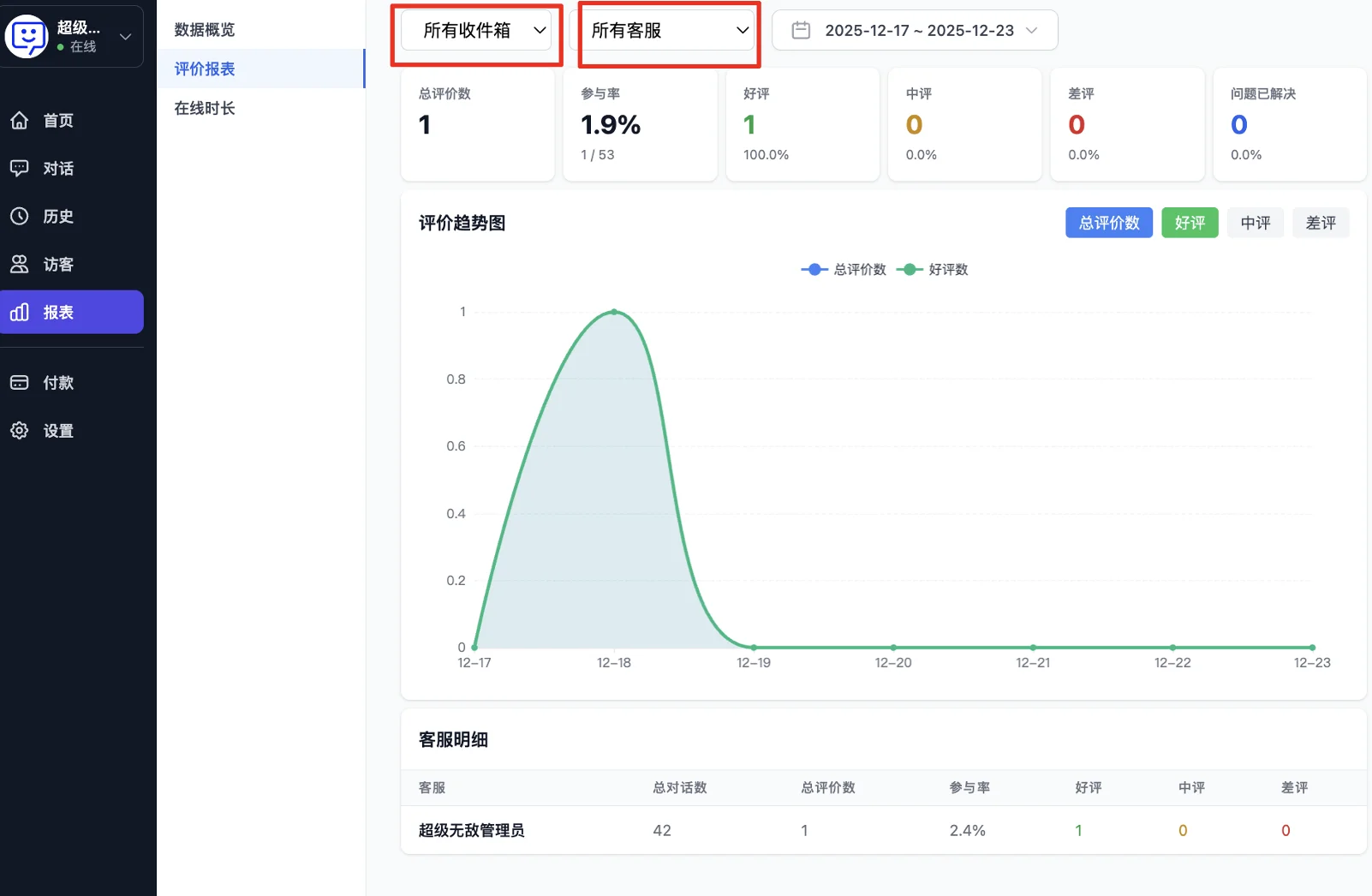
- Participation rate: Find ways to improve the rating participation rate, such as sending rating invitations directly during the conversation.
- Issue resolved: Helps determine whether the visitor's issue was truly resolved when they gave their rating, rather than the conversation being "forcefully ended".
- Positive/negative ratings: Helps managers identify agents with disproportionately high negative ratings or notably lower positive rating rates, marking them for focused quality review and training.
- Agent Online Duration
Click "Online Duration" to view the agent online duration list. You can filter by channel (inbox) and date as needed.
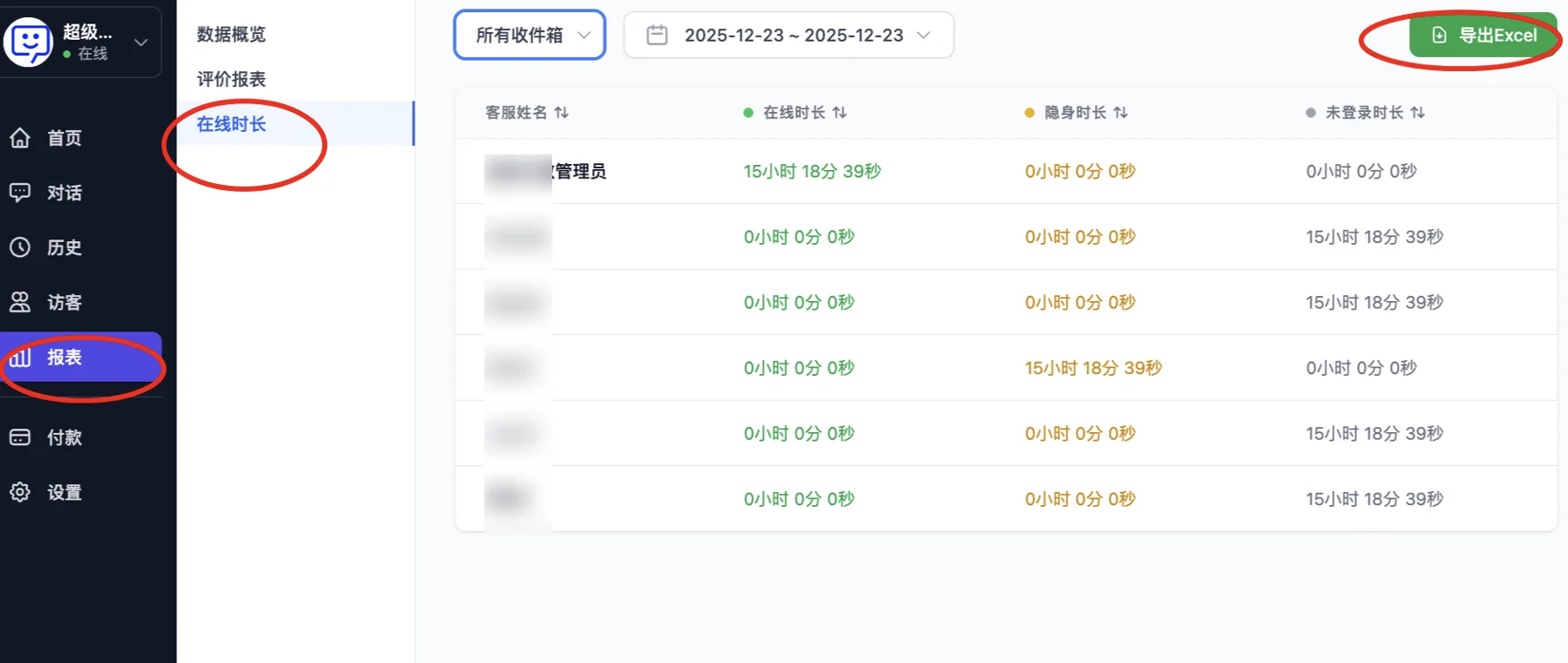
- Attendance check: Each agent's online duration, invisible duration, and not-logged-in duration are clearly visible. You can cross-reference with the shift schedule to check: who logged in on time, who frequently arrives late or leaves early, and who was scheduled but remained logged out for extended periods.
- Managers can use this to identify situations where agents are "on shift but not online" or "online but invisible for extended periods", preventing seat resources from being wasted.
🎉 Congratulations! You have completed the "Quality Control" module!
Through this module, you can review various data metrics for your agents, helping you better train and schedule your team to improve overall work efficiency.
Next step: Visit the FAQ to see if your other questions can be answered!