
Basics - Conversation Settings
After setting up your chat link, you can continue to optimize your conversation experience in "Settings - Conversation Settings".
Here you can configure team information, timeout reminders, auto-close and ratings, pre-chat forms, and translation to further enhance visitor experience and agent efficiency.
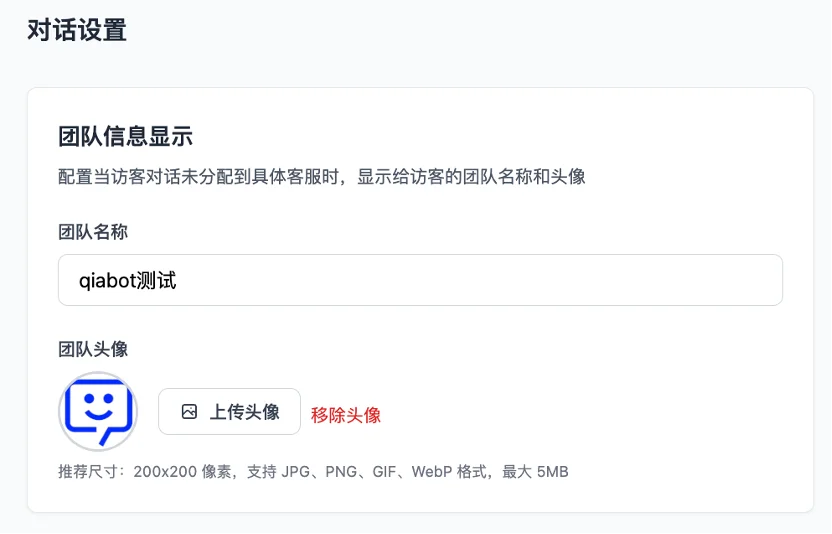
- Team Information Display:
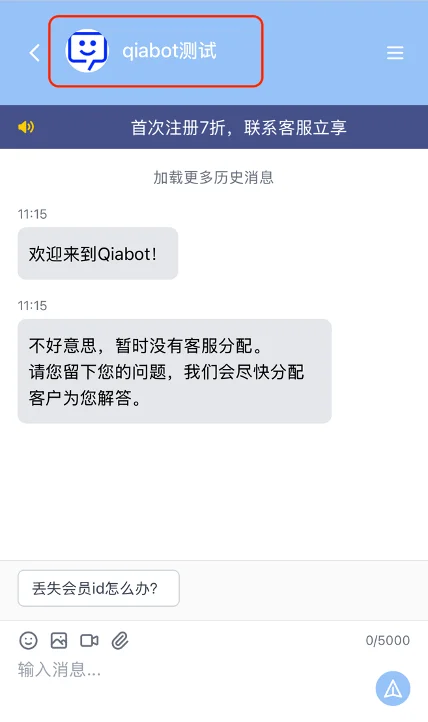
- If a visitor's conversation has not been assigned to a specific agent, the chat page will display the team name and avatar.
- The chat page displays as follows: The upper left corner, which normally shows the agent's avatar and name, uses the team information when no agent is handling the conversation.
- Other Features
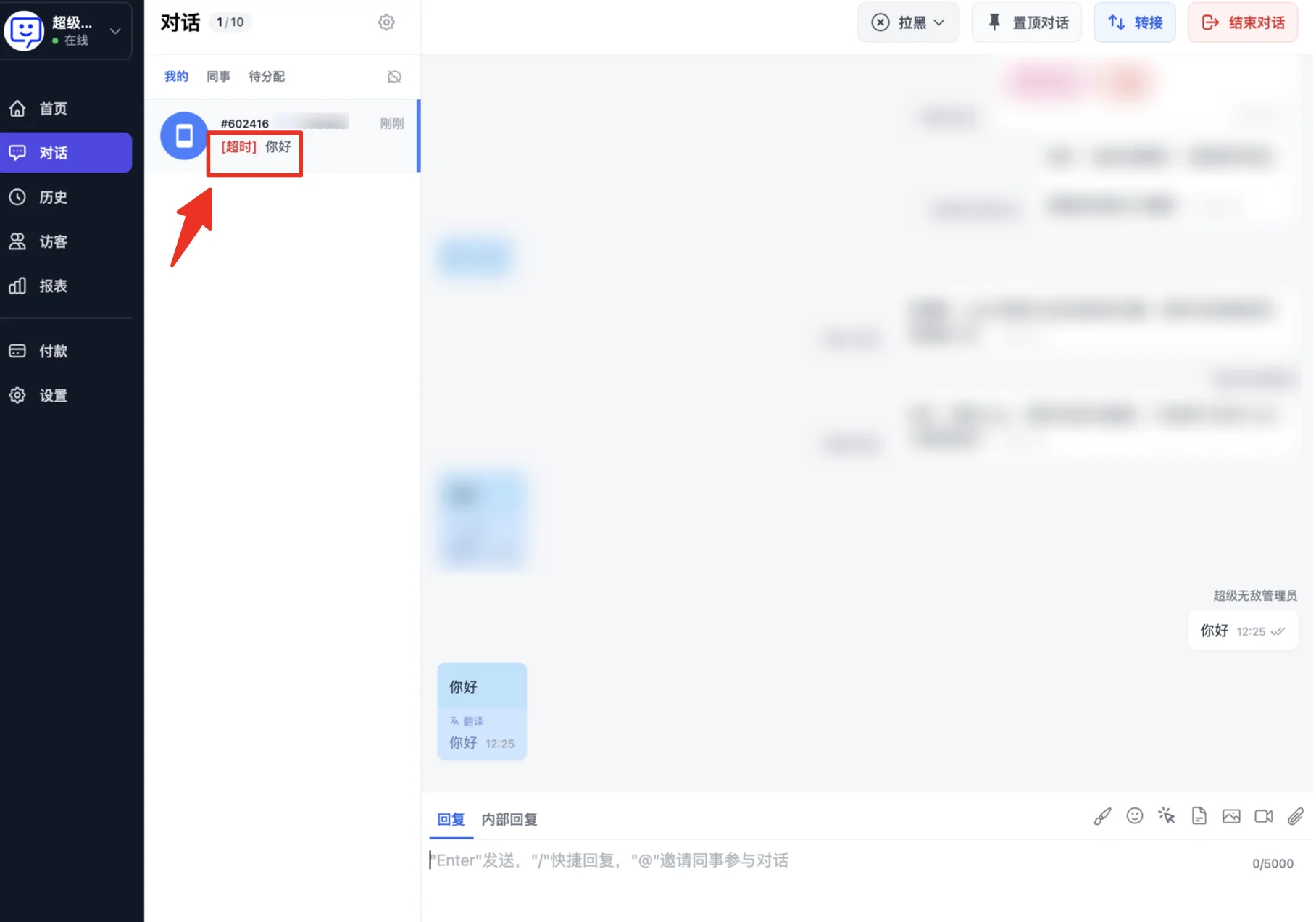
- Conversation Timeout Reminder (sent to agents): When a visitor sends a message and the agent does not reply within the specified time, the system sends a timeout reminder to the agent.
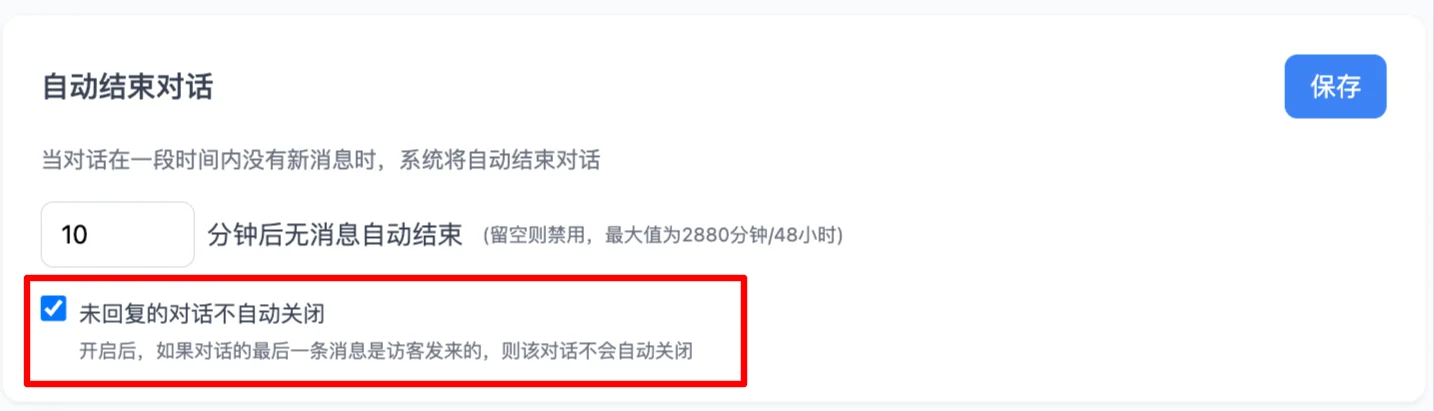
- Auto-Close Conversation: When this feature is enabled, conversations with no new messages within the specified time will be automatically closed by the system. You can set the time in this module.

New Feature: The "Auto-Close Conversation" feature now includes a sub-option "Do not auto-close unreplied conversations". After saving this setting, it effectively prevents agents from missing conversations during busy periods.
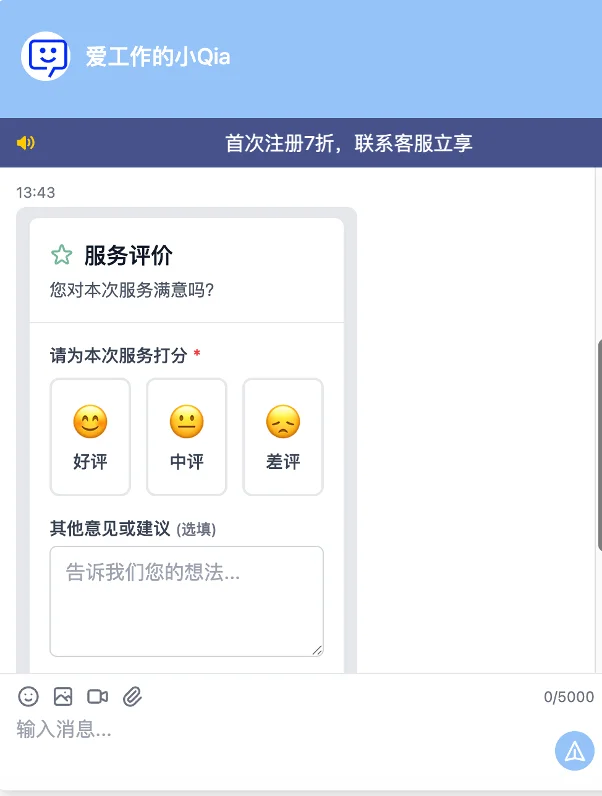
- Customer Rating: When this feature is enabled, the system will automatically invite visitors to rate the conversation after it ends, helping evaluate agent performance and improving visitor satisfaction.

Qiabot now also supports agents manually inviting visitors to rate! Go to "Getting Started Guide - Step 4" for details!
- Visitor's view:
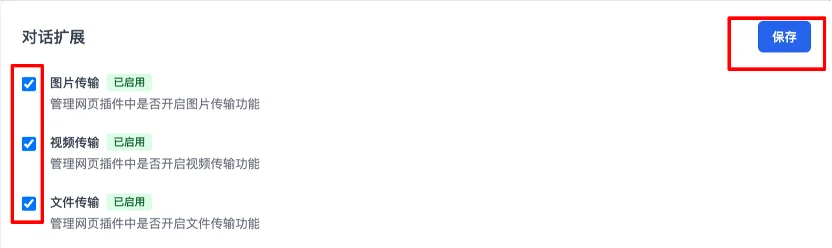
- Conversation Extensions: You can configure whether to enable file transfer features in the web widget: images, videos, or files.
- Pre-Chat Form: Set up visitor routing when visitors enter the chat page.
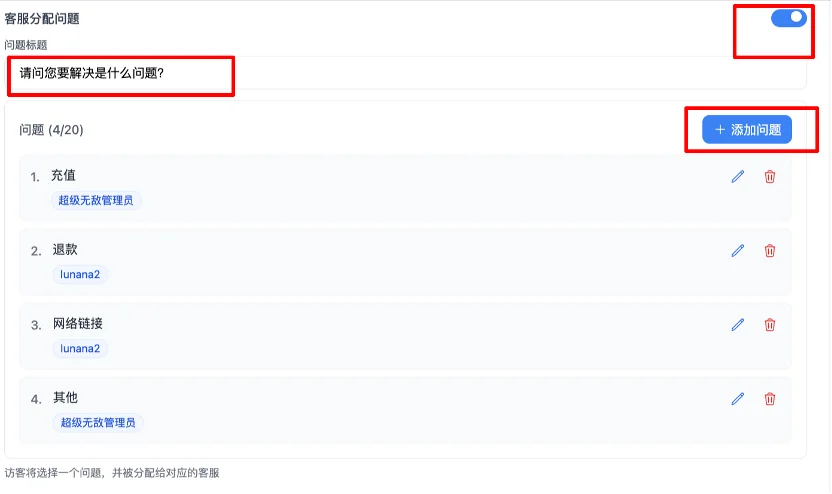
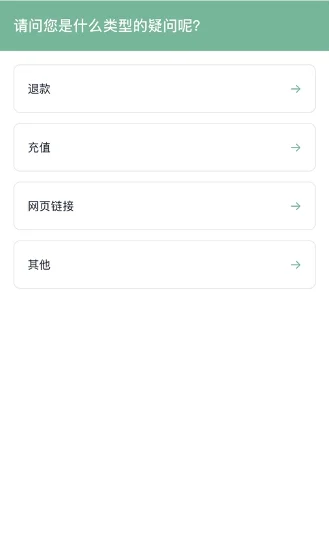
- Agent Assignment Questions: You can set up questions in this module where different questions route to different agents (multiple agents per option are now supported).
-*Admin settings page:*
-*Visitor-side page:*
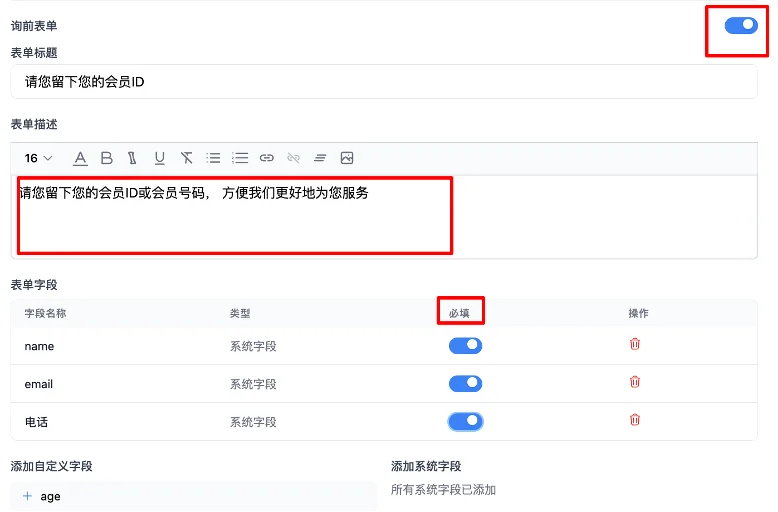
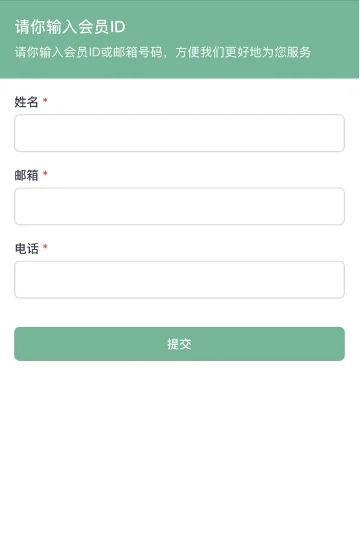
- Pre-Chat Form (Level 2): You can set up form fields in this module to have new visitors proactively provide visitor information (name, membership number, etc.), facilitating better service in the future. This feature only appears when a new visitor enters for the first time; it will not appear on the second visit.
*-Admin settings page:*
*-New visitor's view :*
- Translation Feature: In this module, you can choose whether to enable auto-translation.
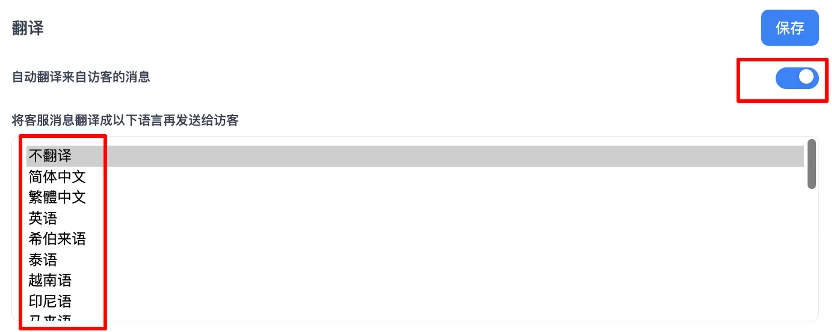
Note: The "Translation" setting in "Link Settings" has higher priority than the "Translation" setting in individual conversations. If you have not enabled "Translation" in the channel link, then every conversation under this channel link will not be auto-translated; you can only manually enable translation in the conversation panel.
Congratulations! You have completed the "Conversation Settings" exploration!
With your settings, your visitors will enjoy the best chat experience.
Next step: Go to 'Auto Messages' to learn how to set up system online messages and improve efficiency during busy periods.