Qiabot
Navigation

iPhone App Installation Tutorial

Step 1: Tap the download link, then select "OK" as shown below

Tap OK after clicking the download link

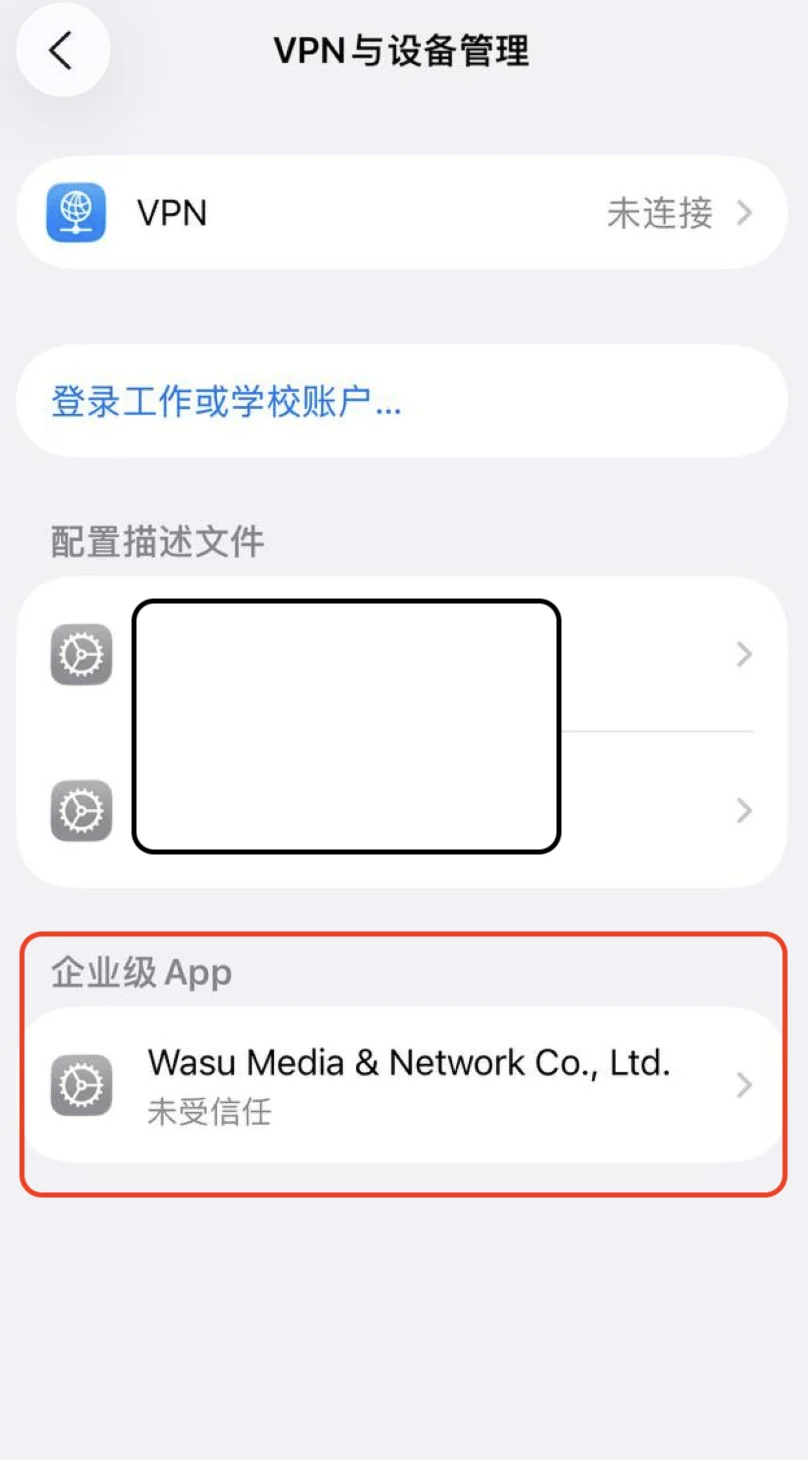
Step 2: Follow the on-screen instructions to navigate to "Settings" > "General" > "VPN & Device Management"
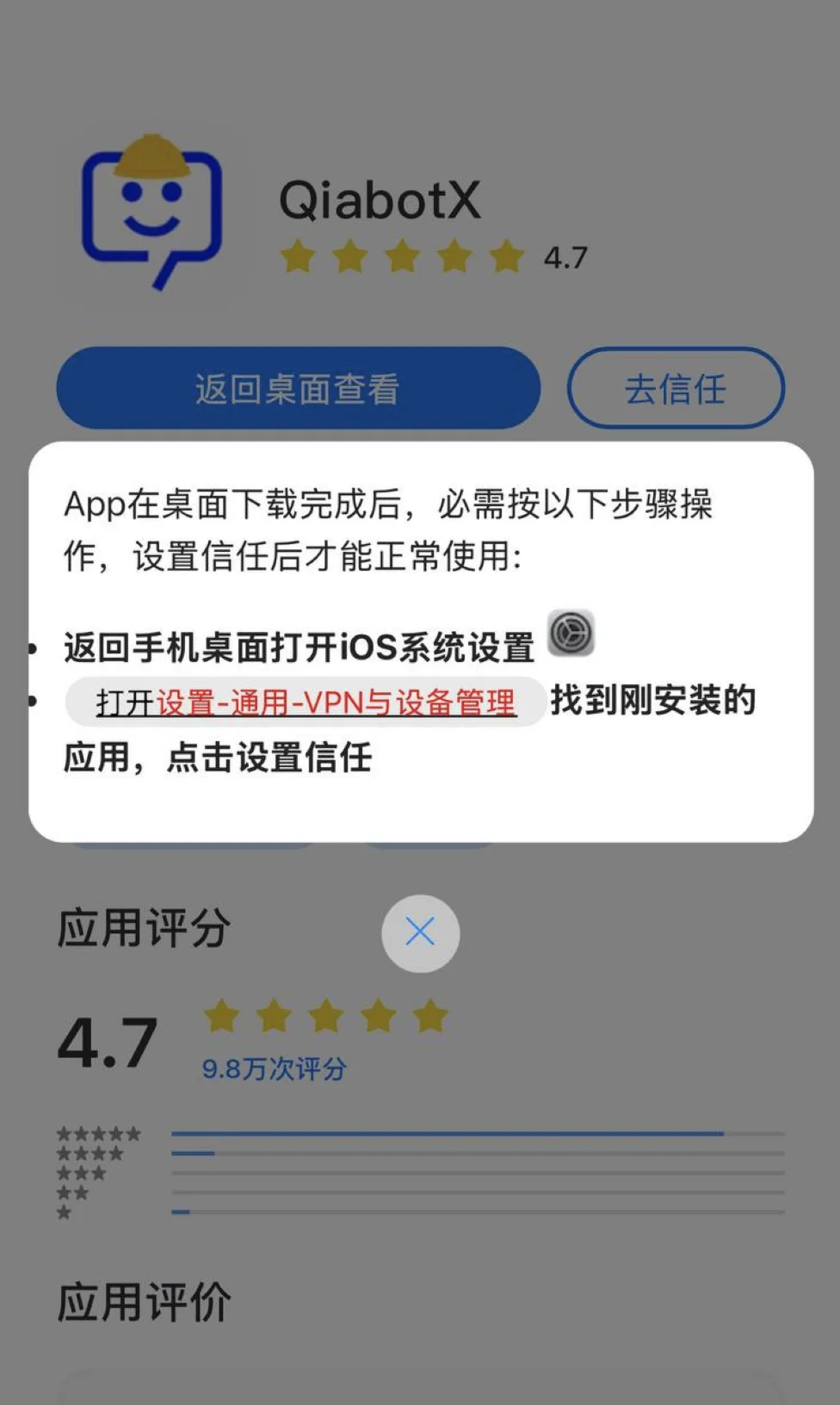
Navigate to Settings - General - VPN & Device Management

Tap "Enterprise App" to select it

Select the Enterprise App trust certificate

Step 3: On the next page, select "Allow & Restart"
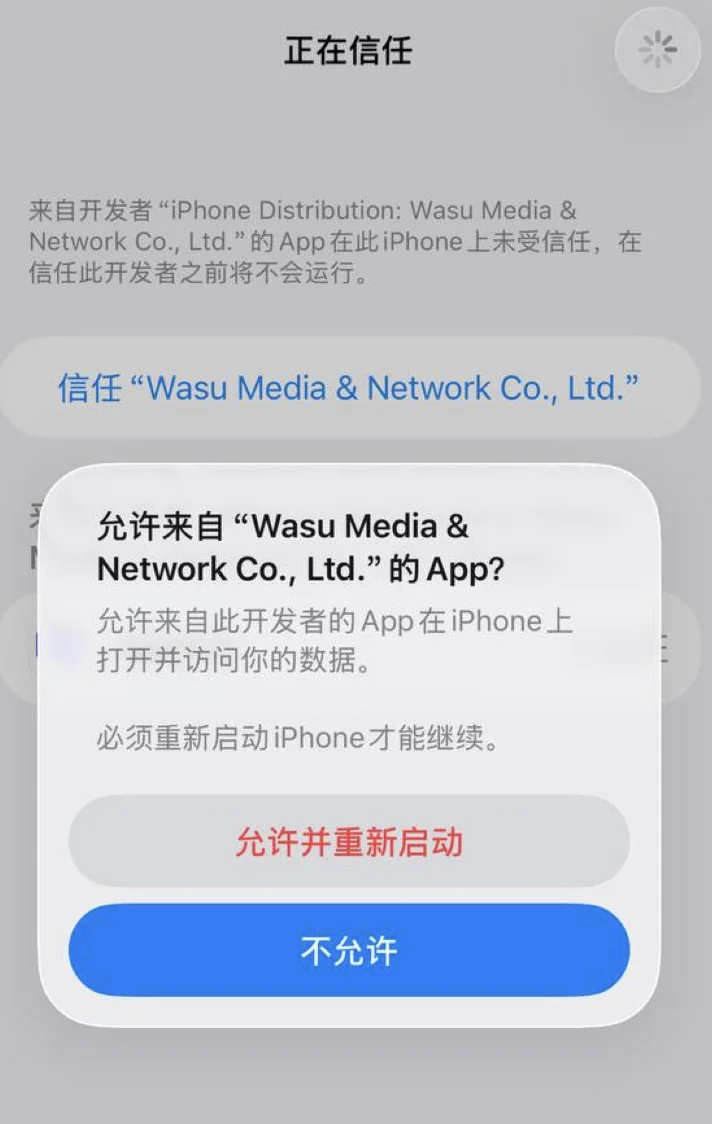
Select Allow & Restart

Step 4: After the phone restarts, follow the prompt to select "Trust", then enter your phone passcode. The app is now ready to use.